
Why Temporary Emails Enhance Your Digital Safety Today
Temporary email addresses—also called disposable or “temp” mail—give you a short-lived contact that keeps your main inbox separate from one-off signups and low-trust sites. They work by creating an ephemeral inbox or a forwarding alias with an expiration timer so messages arrive only briefly before being discarded. That short lifecycle cuts your exposure to spam, phishing, and large-scale data aggregation. Used alongside password managers and two-factor authentication, temporary email shrinks the attack surface for credential stuffing and profiling. This article shows how these services operate, the specific ways they block unwanted messages and scams, the privacy gains they deliver, when to use them, and how to pick a provider you can trust. Read on for technical explanations, practical use cases, mitigation tips, and a checklist to protect your inbox and reduce your digital footprint.
What Is a Temporary Email and How Does It Work?
A temporary email is a disposable address created for short-term use so you can receive messages without exposing your permanent address. Providers typically issue an address that auto-expires or forwards messages for a limited window. Common features include an expiration timer, a temporary inbox, optional short-term forwarding, and—on some services—addresses tied to a session rather than a persistent account. The main advantage is immediate isolation: signups, downloads, and trials can send messages to a throwaway address while your primary inbox stays protected. Understanding these mechanics explains why temporary emails are effective against mass-listing and tracking. The sections that follow define common types and show how anonymity is preserved in practice.
What Are Temporary and Disposable Emails?
Temporary and disposable emails refer to single-use or time-limited addresses that let you receive verification codes, newsletters, or download links without sharing your personal contact. Typical behaviors include automatic deletion after hours or days, optional short-term forwarding to a real mailbox, and anonymous generation with no signup required. These addresses—sometimes called temp mail or throwaway emails—vary by retention length and UX model. For example, you might create a disposable address to register for a webinar so follow-up promotions never hit your primary inbox. That simple use case leads into how these addresses preserve anonymity during signups.
How Do Temporary Emails Maintain Online Anonymity?
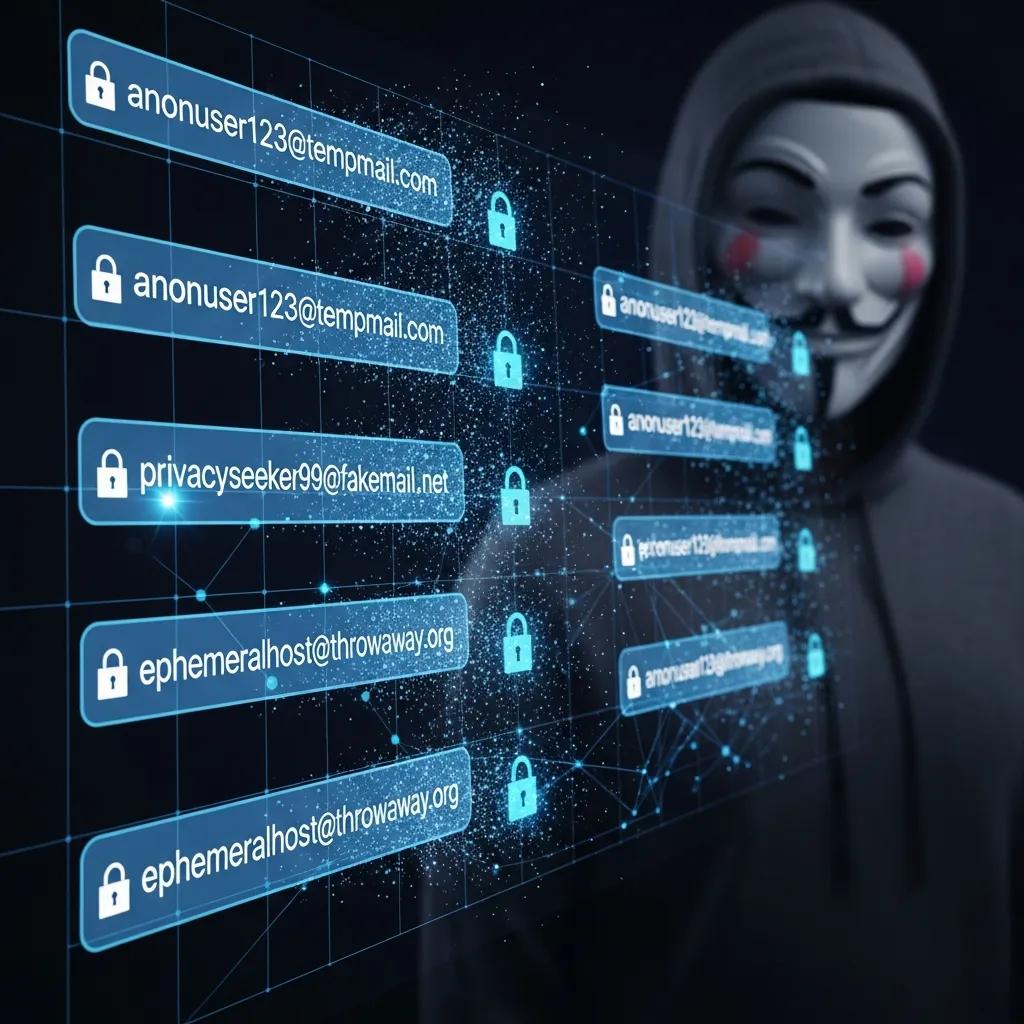
Temporary emails preserve anonymity by separating your real identifier from service-specific accounts and by preventing long-term linkage across platforms with unique, ephemeral addresses. When you sign up for a forum or newsletter with a throwaway address, that service only sees the disposable identifier—reducing profiling and cross-site correlation by data brokers. They aren’t full anti-forensics tools—other signals like IP addresses or payment details can still connect accounts—but throwaways meaningfully reduce email-based aggregation.
For example, when you test multiple services with distinct disposable addresses, no single email ties together your activity across platforms. That separation directly lowers targeted spam and profiling. email privacy
How Do Temporary Emails Prevent Spam and Phishing Attacks?
Temporary emails cut spam and phishing risk by stopping services and harvesters from adding your primary address to marketing lists and by confining suspicious senders to an expendable inbox. The core mechanism is surface reduction: fewer persistent identifiers linked to your real account means fewer channels for follow-up spam and phishing. Disposable addresses act as sacrificial recipients for unknown senders—once discarded, the channel closes and attacker workflows are interrupted.
Below are concrete mechanisms and examples showing how disposable addresses block unwanted marketing and malicious links.
- List containment: Use a single-use address to avoid long-term enrollment in mailing lists and cut persistent promotional emails.
- Attack isolation: Phishing messages sent to a throwaway address can’t be leveraged to target your primary account later.
- Credential protection: Using unique disposable identifiers prevents attackers from linking leaked credentials back to core accounts.
These mitigation points lead into a threat-by-threat comparison of how temporary email breaks attacker chains.
Intro to the mitigation table: The table below maps common email threats to how temporary emails reduce risk and the practical outcomes you can expect.
| Threat | How Temporary Email Mitigates | Example / Result |
|---|---|---|
| Bulk marketing lists | Create single-use addresses so you never land in a long-term list | Newsletter sign-up doesn’t reach your main inbox |
| Phishing campaigns | Keep suspicious senders confined to a disposable inbox | Discarding the address stops follow-up phishing attempts |
| Data harvesting / scraping | Prevent long-term linkage between services | Lower profile aggregation by brokers |
| Credential stuffing | Assign unique addresses so reuse chains break | Automated login attempts fail against primary accounts |
This table shows how temporary email turns threat reduction into concrete outcomes and sets up the next section on blocking marketing and junk mail in everyday scenarios.
In What Ways Do Temporary Emails Block Unwanted Marketing and Junk Mail?
Temporary emails stop marketing and junk mail by denying promotional senders a durable contact point. Once a disposable address is retired, marketers lose the ability to reach you through that channel.
For example, signing up for a newsletter with a throwaway address prevents long-term targeting because the address expires before data brokers can build a persistent profile. Or use a temporary address for contest entries or coupon downloads to collect offers without opening a permanent line to promotional mail.
These behaviors complement spam filters by removing the need to train or maintain complex rules and naturally reduce the volume of junk that reaches your main inbox. For more information, you can read about master spam control.
How Do Temporary Emails Reduce Exposure to Phishing Scams and Malicious Links?
Temporary emails lower exposure to phishing and malicious links by shrinking the usefulness of any phishing message that lands at a throwaway address. Attackers can’t easily reuse that address to escalate an attack against your primary email if the disposable address is closed.
Email is often the first pivot in a social‑engineering or credential-abuse chain; removing persistent email identifiers breaks that pivot.
For instance, if a phishing campaign compromises a low-trust signup, a throwaway address prevents escalation into accounts tied to your primary email. Temporary addresses don’t replace technical protections like SPF/DKIM or anti-phishing tools, but they reduce the number of viable targets and lower overall risk. Why Spam Emails Happen
What Are the Privacy Benefits of Using Disposable Emails?

Disposable emails protect personal information by separating identifiers used across services, which reduces the chance that aggregated records reveal your full identity. The mechanism is simple: one-off addresses stop persistent associations between services and your core contact, limiting data matching and resale by brokers. Practical benefits include fewer unsolicited contacts, less accurate cross-site profiling, and more control over who can contact you after the temporary window ends.
Intro to the benefits table: The table below links primary privacy benefits to the mechanisms disposable email uses and the practical impact on your online exposure.
| Benefit | Mechanism | Practical Impact |
|---|---|---|
| Personal info shielding | Decouple your primary email from casual sign-ups | Less data shared with third parties |
| Reduced profiling | Use unique addresses per service to avoid cross-linking | Lower ad targeting accuracy |
| Easier cleanup | Expire or delete addresses after use | Immediate stop to further messages |
The table demonstrates measurable privacy improvements and leads into guidance on protecting identity during sign-ups.
How Do Temporary Emails Safeguard Your Personal Information and Digital Identity?
Temporary emails protect personal information by isolating service-specific signups from your permanent contact details, preventing straightforward harvesting of your name and email for resale. Temporary email how disposable inboxes protect
When you register at a low-trust site with a disposable address, that site stores only a transient identifier and can’t easily cross‑reference your activity with other services. That separation lowers the chance that a breach at a low-trust site exposes an address tied to your main identity, reducing downstream risks like targeted fraud or unwanted solicitations. In practice, this means fewer recovery emails, less credential exposure, and fewer data points available to attackers.
How Do Disposable Emails Help Minimize Your Digital Footprint?
Disposable emails shrink your digital footprint by cutting the number of persistent identifiers tied to you across the web, which reduces the datasets brokers use to build profiles.
Many users reuse the same email across dozens of services; adopting disposable addresses lets each account use a distinct, ephemeral contact that expires when it’s no longer needed. That change reduces long-term traces and makes correlating activity across domains harder. For anyone concerned about tracking or profiling, this drop in linkability lowers the chance of being targeted by personalized ads or social-engineering attacks.
How Do Temporary Emails Protect Against Data Breaches and Identity Theft?
Temporary emails reduce the blast radius of data breaches by ensuring compromised low-trust services don’t expose your primary address to attackers and brokers. The core idea is limited exposure: if a site is breached, the leaked dataset contains a disposable address that quickly loses value. This containment decreases opportunities for phishing follow-ups and credential stuffing that rely on email reuse.
Temporary emails change breach dynamics by replacing persistent identifiers with ephemeral ones that become worthless to attackers:
- Containment: Leaked data shows disposable addresses that expire, preventing long-term misuse.
- Reduced correlation: Disposable addresses lower the chance a leaked record links to other accounts.
- Complementary defenses: Used with unique passwords and 2FA, temporary email significantly reduces compromise risk.
This framing leads into a concrete scenario showing how exposure is limited during a breach.
How Do Temporary Emails Limit Data Exposure During Security Incidents?
In a breach, temporary emails limit exposure because leaked records contain non‑persistent contact points that quickly lose value, reducing the breach’s downstream usefulness to attackers.
For example, if a promotional site that stores disposable addresses is compromised, those addresses will likely be expired or not tied to recovery options—so attackers can’t use them for account recovery or targeted phishing against your main identity. That containment shrinks the attack surface and lowers the chance of chained exploits. Recent reports emphasize limiting persistent identifiers as a practical mitigation—and temporary emails do exactly that.
What Role Do Temporary Emails Play in Preventing Credential Stuffing and Identity Theft?
Temporary emails disrupt credential stuffing by removing the assumption that an email address is a persistent identifier across services. When each service uses a unique or temporary address, automated credential-stuffing scripts find fewer matches and can’t escalate into account takeovers.
This method is most effective combined with unique passwords and two‑factor authentication: even if credentials leak, the email in the leak won’t point back to your primary identity. Together, these practices materially reduce the risk of identity theft from automated reuse attacks.
When and How Should You Use Temporary Emails?
Use temporary emails for non‑critical, short-lived interactions where account recovery and long-term relationships aren’t needed. Typical examples include free trials, one-off gated downloads, testing signups, or public forum posts where exposing a primary address would invite spam.
Rule of thumb: use throwaways for low‑trust interactions and reserve your primary email (protected by strong passwords and 2FA) for financial, healthcare, and recovery‑critical accounts. The subsections below list common use cases and explain when temporary emails are inappropriate and which alternatives to pick instead.
The following list highlights common, high‑value use cases for disposable addresses and the immediate benefit of each.
- Free trials and one-time offers: Avoid follow-up promotional emails after a short trial.
- Gated downloads and webinars: Get access links without exposing your long-term contact.
- Testing and QA: Developers and testers spin up throwaways to validate signup flows without cluttering inboxes.
- Public postings and classifieds: Limit spam from public visibility and scraping.
These examples set up guidance on when not to use temporary emails and which safer alternatives to choose.
What Are Common Use Cases for Temporary Emails in Online Registrations and Free Trials?
Common use cases include signing up for free trials, downloading gated content, registering for newsletters from unfamiliar sources, and testing web forms during development. In each case the disposable address handles a single interaction and can be discarded, keeping your primary inbox out of marketing lists and scrapers’ reach. For developers and QA teams, temp mail speeds testing by letting you create multiple isolated accounts quickly without long-term inbox management. These focused use cases show where throwaways deliver real convenience and privacy benefits.
When Should Temporary Emails Not Be Used for Critical Accounts?
Do not use temporary emails for banking, healthcare, legal services, or any account that needs long-term recovery, identity verification, or regulatory records—the ephemeral nature of throwaways can block future access and compliance. For critical services, use a dedicated, long-term secondary email or an alias tied to your primary provider, plus 2FA and a password manager. That preserves recoverability while separating sensitive accounts from casual signups. Clear alternatives and warnings help you avoid lockouts and legal complications when persistence and auditability matter.
How to Choose the Best Temporary Email Service for Your Inbox Protection?
Picking a temporary email service means evaluating retention controls, registration models, transport security, logging policies, and trust indicators like a clear privacy policy and community reputation. Look for configurable expiry, optional short-term forwarding, TLS for message transport, and transparent no-log commitments. Operational features—API access for developers, multiple domains, and inbox customization—improve usability for different needs. The sections below list privacy and longevity features to prioritize and offer a practical checklist for auditing provider trustworthiness.
Intro to the features table: The table below compares key service features, what to look for, and why each feature matters for protecting your inbox.
| Feature | What to Look For | Why It Matters |
|---|---|---|
| Retention controls | Configurable expiry and manual delete | Match the address lifetime to the use case |
| Transport security | TLS for inbound/outbound delivery | Prevents interception in transit |
| Logging policy | Clear no‑logs or minimal‑logs statement | Reduces the risk of long‑term data retention |
| Registration model | No‑signup vs. optional accounts | Affects anonymity and recovery options |
| Forwarding options | Short‑term forwarding windows | Allow temporary delivery to your main inbox when needed |
This checklist helps you prioritize features when testing or selecting a provider and leads into a practical, step‑by‑step trust evaluation.
What Features Ensure Strong Privacy and Longevity in Temporary Email Services?
Look for configurable retention periods, transport encryption (TLS), explicit no‑log policies, minimal metadata retention, and optional registration models that avoid linking addresses to persistent identities. Watch for red flags like vague privacy statements, data‑sharing clauses, or mandatory personal information. Developers may also value API access and domain rotation to reduce reuse‑based blocking by some services. Prioritizing these attributes helps ensure your disposable addresses stay private while giving you the lifespan you need for each task.
How to Evaluate the Trustworthiness and Security Protocols of Temporary Email Providers?
To evaluate trustworthiness, read the provider’s privacy policy for explicit no‑log guarantees, look for independent audits or transparent changelogs, and check community feedback on developer forums and security blogs. Do hands‑on tests: create an address, send verification messages, test forwarding windows, and measure message persistence. Verify transport encryption during delivery and avoid services that ask for unnecessary personal details. Combining practical tests with policy review helps you choose providers that balance anonymity and reliability.
- Practical checklist for provider evaluation: Read the privacy policy: Confirm no‑sharing and retention specifics. Test retention behavior: Create an address to verify expiry and forwarding. Check community signals: Search developer forums and security commentary for issues.
These audit steps build measurable confidence before you adopt a service and link provider capabilities to real‑world protection needs.
- Why use temporary email with other defenses: Combine throwaways with unique passwords and 2FA for layered protection.
- When discard is immediate: For very short interactions, immediate deletion prevents follow-up messages.
- When to test providers: Always verify retention and forwarding behavior before relying on a service for important workflows.
Following these practices ensures temporary email works as an effective part of a broader inbox protection strategy.
Frequently Asked Questions
What are the limitations of using temporary emails?
Temporary emails help privacy, but they have limits. Many services block disposable addresses to prevent abuse, which can prevent account creation. Their short lifespan also makes them unsuitable for accounts needing long‑term access or recovery, like banking or healthcare. Don’t rely on them for critical communications—you risk missing important messages if an address expires before you retrieve them.
Can temporary emails be used for online shopping?
Temporary emails can work for one‑time purchases or signing up for promo offers, but many retailers require email verification for order confirmations and shipping updates. If you use a disposable address you might miss key notifications about your order. For low‑stakes buys it’s fine; for significant purchases, use a permanent or dedicated shopping address instead.
How do temporary emails affect email marketing strategies?
Disposable addresses can skew marketing metrics by reducing the lifetime value of a subscriber and lowering engagement rates—users who sign up with a throwaway address are unlikely to open future emails. Marketers should expect higher churn and consider ways to encourage users to provide permanent contact information when building long‑term relationships.
Are there any security risks associated with temporary email services?
Yes. Not all temporary email providers follow strong security practices—some may be vulnerable to breaches or maintain excessive logs. Reusing a disposable address across many sites can create patterns that attackers might exploit. Choose reputable services with encryption and clear no‑log policies to reduce these risks.
How can I ensure my temporary email is effective for privacy?
Pick a provider with configurable expiration, no‑log policies, and transport encryption. Avoid using the same disposable address across multiple platforms to prevent cross‑linking. Regularly test the service’s retention and forwarding features. By using unique addresses for different interactions and choosing a trustworthy provider, you’ll get the most privacy out of temporary email.
What should I do if I miss an important email sent to a temporary address?
If you miss an important message, your options may be limited because these addresses expire. Before using a disposable address, consider whether you’ll need the message later—if so, use a permanent address. If you do miss something, check whether the provider allows message retrieval before expiry or ask the sender to resend to your primary email.
Conclusion
Temporary emails are a practical, low‑friction way to protect your main inbox from spam, phishing, and unwanted marketing. By isolating low‑trust interactions with disposable addresses, you can shrink your digital footprint and reduce the fallout from breaches. Pick a temporary email service that offers clear privacy controls, secure transport, and predictable retention, and use throwaways alongside strong passwords and 2FA for the best protection. Start testing recommended providers today and take back control of your inbox security.


