

Protect Your Privacy: Email Tracking Pixels Exposed
Email Tracking: Risks & Protections
Invisible images embedded in emails—commonly called tracking pixels—can silently report your activity to third parties, exposing your location, device details, and behavior without explicit consent. This article explains what email tracking pixels are, how they operate, which data they collect, and why that collection matters for individual privacy and security. Readers will learn the technical mechanism behind web beacons, the specific data points (IP, user agent, timestamp, unique IDs) that enable profiling, and practical steps to block or mitigate tracking across major email clients. We also cover the legal and ethical landscape—how temporary email, CCPA, DMA and recent enforcement actions shape obligations—and present privacy-first alternatives for senders who want analytics without surveillance. Finally, the piece surveys the current state of tracking prevalence through 2024–2025 research and forecasts how vendor features and regulation are likely to evolve after 2025. Throughout, targeted keywords like email tracking pixel, web beacon, Apple Mail Privacy Protection, PixelBlock, and how to block email tracking pixels are used to make this resource useful for both curious readers and defenders.
What Are Email Tracking Pixels and How Do They Work?
An email tracking pixel is a tiny, usually invisible 1×1 image—or "clear GIF"—embedded in an email that triggers a remote image request when the message is opened, allowing the sending server to log metadata and mark opens. The mechanism is simple: the email client requests the remote image URL, which contains a unique identifier, and the server records that request along with HTTP headers. That recorded metadata typically includes the recipient-correlated ID, timestamp, IP address, and user agent string, which together allow senders to infer device, client, and approximate location. Understanding this flow clarifies why remote image blocking and proxying are effective defenses and sets up the next section explaining synonyms and technical details.
What is an Email Tracking Pixel and What Are Its Synonyms?
An email tracking pixel is a type of web beacon: a tiny image or HTML element used to detect when an email is opened and to collect associated metadata. Synonyms vary by context—marketing teams usually call them pixel tags or tracking pixels, security researchers may use web beacon or spy pixel, and historical literature sometimes refers to clear GIF or tracking bug. Each term emphasizes a different facet: "pixel tag" highlights the identifier, "web beacon" emphasizes observation, and "clear GIF" points to the classic 1×1 GIF technique. Recognizing these synonyms helps users and administrators spot tracking technology in email headers, HTML source, and analytics URLs.
Common synonyms and context for email tracking pixels:
- Web beacon: A research and privacy term emphasizing remote observation.
- Pixel tag: A marketing/analytics term focused on campaign correlation.
- Clear GIF: A historical term referring to the 1×1 transparent image technique.
- Spy pixel: A security-focused label highlighting privacy risk.
These labels describe the same underlying mechanism and help readers identify tracking artifacts across different toolsets and reporting contexts.
How Do Tracking Pixels Collect Data Through Invisible Images?
When an email client renders HTML and requests a remote image, the server receives an HTTP GET request that carries headers and the unique query string embedded in the image URL, which together create a fingerprint of the open event. The unique query parameter or path correlates that request to a specific campaign and often to a single recipient record in the sender's database, so the server can mark that recipient as "opened" at a precise timestamp. HTTP headers reveal the user agent (identifying client and OS) and the source IP (used for geolocation), and servers typically log these alongside referrer data and any cookies served by the tracking domain. This stepwise fetch-and-log process is the reason blocking remote images or routing them through proxies breaks most tracking workflows and leads naturally into a detailed inventory of exactly what data pixels capture.
What Data Do Email Tracking Pixels Collect and How Does It Impact Your Privacy?
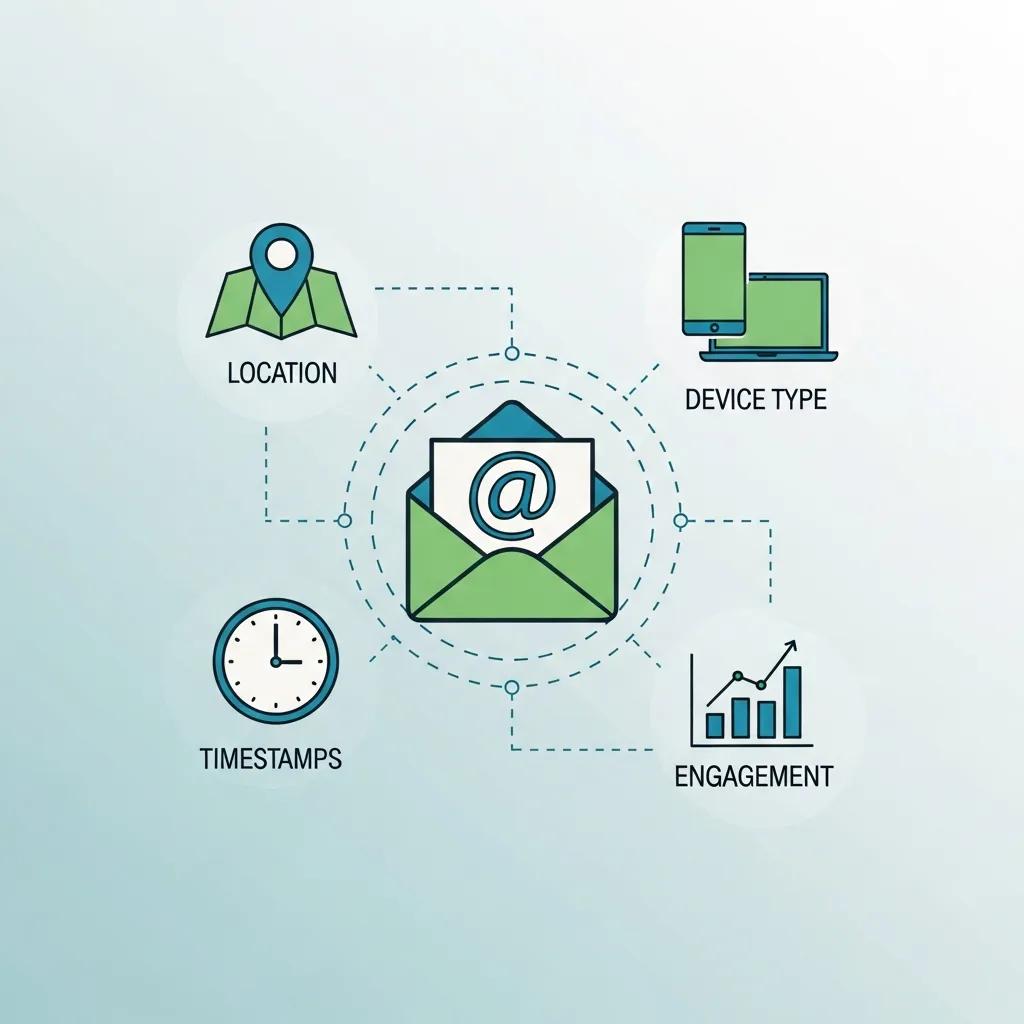
Tracking pixels gather a surprisingly rich set of signals from a single image fetch, and when aggregated across senders they enable profiling and potentially sensitive inferences about individuals. At the point of fetch, servers typically record timestamps, IP-derived location approximations, user agent strings (device, OS, email client), and the unique recipient or campaign identifier embedded in the URL. Combined with historical opens and cross-campaign data, these signals allow companies—or malicious actors—to build behavioral profiles, infer routines, and correlate interests or vulnerabilities. The following table breaks down common data points, how they are captured, and the privacy impact of each signal.
| Data Point | How It's Captured | Privacy Impact |
|---|---|---|
| Open timestamp | Server logs the time of the image request | Enables activity timing, routine inference, and behavioral segmentation |
| IP address / approximate geolocation | Source IP logged and geo-resolved | Reveals city/region and can link multiple accounts to a location |
| User agent (device, OS, client) | HTTP User-Agent header | Identifies device type and client, aiding device fingerprinting |
| Unique campaign/recipient ID | Embedded in image URL query string | Correlates opens to specific recipients and campaigns |
| Referrer / cookies | Server-side cookies or referrer headers on request | Enables cross-site correlation and longer-term tracking |
This mapping shows how each seemingly small data point contributes to a larger surveillance picture; understanding those mechanics leads directly to how aggregated signals enable profiling and de-anonymization.
Which Specific Data Points Are Gathered by Email Tracking Pixels?
Email pixels collect discrete technical attributes that, when combined, reveal more than each alone: open timestamps are captured server-side the moment the image is requested, IP addresses reveal a rough location and ISP, and user agent strings disclose device and email client details. The unique identifier embedded in the image URL ties that fetch back to an individual recipient record or hashed email address, allowing senders to join open events with CRM data. Additional signals—such as whether an email was forwarded (multiple distinct IPs) or if images are re-fetched across sessions—can reveal behavior patterns like forwarding, reply rates, and multi-device usage. Recognizing these specific signals makes clear why blocking or proxying image requests interrupts the data pipeline.
| Insight | Capture Method | Typical Use |
|---|---|---|
| Open time | Server timestamp | Campaign timing, engagement metrics |
| Approx. location | IP geolocation | Localized offers, location-based segmentation |
| Device & client | User-Agent header | Client optimization, deliverability testing |
| Recipient correlation | Embedded unique ID | Personalization and CRM matching |
Understanding how each piece fits encourages defenders to focus on the most disruptive mitigations—like hiding IPs or removing unique IDs.
How Does Collected Data Enable User Profiling and Surveillance?
Aggregated pixel data becomes rich profiling fuel when multiple opens across senders and campaigns are joined using shared identifiers or third-party tracker domains; this cross-campaign correlation exposes interests, routines, and de-anonymizing signals. Data scientists and marketing platforms fuse timestamps, location patterns, and device fingerprints to infer daily routines (work hours, commute patterns) and preferences (frequently opened topics or product categories). Those same correlations can enable sensitive inferences—health conditions, financial circumstances, or political interests—if combined with CRM fields or external data sources, raising significant privacy concerns. Recognizing this progression from raw fetches to sophisticated profiling highlights why legal and ethical constraints, discussed next, are necessary.
How Do Email Tracking Pixels Threaten Your Privacy and Security?
Email tracking pixels are more than a marketing metric; they create tangible privacy harms and can facilitate security threats when the collected signals are misused or fall into attacker hands. Beyond routine profiling and targeted advertising, aggregated tracking data can enable stalking, precise location inference, and behavioral discrimination when combined with other datasets. Additionally, validation of active email addresses and engagement measurement make phishing and fraud campaigns more efficient by revealing who is likely to open and when, increasing the success rate of time-sensitive scams. The following list summarizes primary threats to individuals and organizations created or amplified by pixel tracking.
Primary privacy and security threats posed by pixels:
- Stalking and location inference: IP logs and timestamps reveal physical routines.
- De-anonymization and sensitive inference: Cross-campaign joins expose interests and vulnerabilities.
- Phishing optimization: Validated active addresses and timing data increase scam effectiveness.
- Reputational and legal risk for senders: Non-transparent tracking erodes trust and can trigger enforcement.
What Are the Privacy Implications of Email Tracking Pixels?

Privacy implications extend from loss of contextual consent to secondary inferences that reveal sensitive attributes about a person; open tracking erodes user control by turning read behavior into telemetry without clear notice or meaningful opt-out. When marketers or data brokers aggregate pixel-derived signals, they can segment users into profiles that influence price offers, credit assessments, or targeted political persuasion, sometimes creating discriminatory outcomes. This erosion of control also undermines trust in email as a private communication channel, with consequences for civic discourse and personal safety. Given these implications, understanding legal frameworks and ethical alternatives becomes essential for both senders and recipients.
How Do Tracking Pixels Facilitate Phishing and Other Cybersecurity Threats?
Attackers and opportunistic actors exploit pixel-derived signals to validate addresses, measure response rates, and schedule follow-ups at peak engagement times—turning marketing telemetry into an attack optimization tool. The workflow is straightforward: validate a list by embedding pixels, record opens to confirm active addresses, then use timing and device data to craft highly targeted phishing attempts that arrive when recipients are most likely to engage. Defenders can spot these abuses by monitoring unusual tracking domains, repeated unique IDs across unrelated senders, or sudden surges in image requests, and by educating users to suspect unexpected time-sensitive emails. These defensive cues lead naturally into legal and ethical frameworks that govern responsible use.
What Are the Legal and Ethical Considerations Around Email Tracking Pixels?
Regulatory frameworks like GDPR, CCPA, and the EU's DMA intersect with email tracking practices around consent, transparency, and profiling restrictions, creating a complex compliance landscape for senders who rely on pixels. GDPR emphasizes lawful basis and explicit consent for processing personal data and gives data subjects rights to access and deletion, while CCPA focuses on consumer rights and opt-out mechanisms in the U.S. regulatory sphere; the DMA targets gatekeeper responsibilities for large platform providers affecting measurement and transparency. Enforcement actions—such as the FTC's involvement in notable cases referenced in recent reporting—underscore that non-transparent tracking can trigger fines and reputational damage. The table below summarizes core regulatory differences and their impact on email tracking.
| Regulation | Jurisdiction | Key Requirement | Impact on Email Tracking |
|---|---|---|---|
| GDPR | European Union | Consent for personal data processing; rights to access/erasure | Often requires explicit consent for identifiable tracking and robust transparency |
| CCPA / CPRA | California, USA | Consumer opt-out, data access and deletion rights | Encourages opt-out mechanisms and disclosure of sale/processing of data |
| DMA | European Union (gatekeepers) | Transparency and fair data practices by large platforms | May restrict opaque measurement and force standardized transparency for platform-mediated email tools |
This comparison clarifies that senders must evaluate consent, transparency, and profiling impact when deploying pixels, and it sets up discussion of privacy-preserving alternatives.
How Do GDPR, CCPA, and DMA Regulate Email Tracking and User Consent?
GDPR requires a lawful basis for processing personal data and often treats persistent identifiers and location data as personal data requiring clear consent, while CCPA grants consumers rights to know and opt out of certain uses, and the DMA imposes transparency obligations on dominant platform services. Practically, GDPR pushes marketers toward prior informed consent for individualized tracking and gives data subjects the ability to request deletion of logs tied to an email address. CCPA/CPRA mechanisms require businesses to honor opt-out signals and disclose categories of collected data, which may affect analytics practices. Because enforcement is increasingly active—as seen in several high-profile cases—organizations should align tracking strategies with privacy-by-design principles and consider aggregated or first-party measurement approaches.
What Are Ethical Alternatives to Using Tracking Pixels in Email Marketing?
Ethical alternatives prioritize user consent, minimization, and aggregated reporting rather than individual-level surveillance; options include first-party analytics, server-side aggregated metrics, and explicit preference centers where users choose the level of tracking they accept. Marketers can shift to sampled or thresholded reporting that prevents identification of single recipients, use session-based anonymized counts, or rely on contextual signals instead of persistent identifiers. Implementing transparent consent banners in onboarding emails and offering clear unsubscribe and preference links respects autonomy and reduces regulatory risk. These practices form a roadmap for responsible measurement and lead directly to practical steps that recipients can take to block pixels in their own inboxes.
Ethical tracking alternatives for marketers:
- First-party aggregated analytics: Measure open rates without per-recipient identifiers.
- Explicit preference centers: Let users opt into types of personalization.
- Thresholded reporting: Only report metrics when sample sizes exceed privacy thresholds.
How Can You Block Email Tracking Pixels to Protect Your Email Privacy?
Protecting inbox privacy requires a layered approach: client configuration, browser or extension tools, and using privacy-first email services or proxies that neutralize pixel telemetry. Immediate user actions include disabling automatic remote image loading, enabling privacy features like Apple Mail Privacy Protection which proxies and hides IPs, and installing browser or client extensions such as PixelBlock that block or neutralize tracker images. Longer-term strategies involve using privacy-focused email providers and routing image requests through a proxy or VPN to mask IP addresses and reduce location leakage. The table below compares common tools and methods so readers can choose the right combination for their platforms.
| Tool/Method | How It Works | Pros | Cons | Platforms |
|---|---|---|---|---|
| Disable remote images | Prevents automatic image fetching | Stops most pixel data collection | Breaks some legitimate images and tracking-based features | Gmail, Outlook, Thunderbird, most clients |
| Image proxying / Privacy features (e.g., MPP) | Client fetches images via proxy and strips IP | Hides user IP and true client data | Some vendors prefetch images, altering open metrics | Apple Mail Privacy Protection and similar features |
| Browser extensions (e.g., PixelBlock) | Detects and blocks known tracker requests | Granular blocking, customizable | Requires installation and maintenance | Desktop browsers (Chrome, Firefox) |
| Privacy-focused email providers | Server-side protections and limited telemetry | Holistic privacy posture | May require migration and potential feature trade-offs | Providers focused on privacy-centric email services |
This comparison helps readers balance usability and protection and transitions to concrete step-by-step client actions.
How Do Email Client Settings Help Block Tracking Pixels?
Most major email clients offer settings to disable automatic remote image loading; turning this off prevents the client from fetching tracking images until the user explicitly allows them, effectively breaking the pixel fetch workflow. Apple Mail's Mail Privacy Protection (MPP) takes a different approach by prefetching images through a proxy and obscuring the recipient's IP and client details, which reduces location leakage but can make open metrics unreliable for senders. Gmail and Outlook provide the option to block images or show images only for trusted senders, while open-source clients like Thunderbird allow fine-grained control and extensions. Configuring these settings gives readers immediate control, and understanding each client's behavior informs whether additional tools—like extensions or privacy providers—are needed.
Which Browser Extensions and Privacy-Focused Email Services Prevent Tracking?
Browser extensions such as PixelBlock and similar tracker blockers detect image requests to known tracking domains and either block them or replace tracking pixels with placeholders, stopping the transmission of identifying metadata. Privacy-focused email services and clients—cited in public reporting as privacy-forward options—offer server-side protections that neutralize trackers or proxy image requests to prevent IP exposure, making them a strong choice for users wanting comprehensive protection without installing multiple extensions. Note that some defenses have limits: client-side proxying can cause prefetching that still records an "open" event, and extension-based blocking requires compatibility with the user's client or browser. Evaluating these trade-offs helps users select a practical, layered defense.
Recommended user actions to block trackers:
- Disable automatic remote images: Prevents most pixel fetches unless explicitly allowed.
- Enable client privacy features: Use MPP-style protections or image proxying when available.
- Install a tracker-blocking extension: Adds an extra layer of domain-based blocking.
These steps, taken together, substantially reduce exposure and prepare users for the evolving tracker landscape.
What Is the Future of Email Privacy and Tracking Pixel Regulations?
Email tracking sits at the intersection of vendor features, regulation, and measurement innovation; trends through 2024–2025 suggest increasing prevalence of client-side privacy features, greater regulatory scrutiny, and a marketer shift toward aggregated measurement. Surveys and studies from security researchers and institutions reported in 2024–2025 indicate that over half of commercial emails include some form of pixel-based tracking, with peaks during high-volume retail periods. Vendor moves—like Apple's MPP and other client-level protections—have already changed how open rates are interpreted and prompted both commercial and academic analysis by groups such as Northwestern University, UpGuard, and industry reporting outlets. These dynamics point to a future where sender-side measurement must adapt to privacy-preserving techniques.
What Are the Latest Industry Statistics and Trends on Email Tracking Pixels?
Recent studies and industry surveys from 2024–2025 show a high prevalence of pixel tracking in commercial email, with many senders relying on third-party trackers for analytics and personalization during peak retail periods. Reports from security analysts and academic teams highlight that a significant portion of tracking infrastructure is concentrated in a small set of third-party domains, increasing cross-sender correlation risk. Vendor reporting and journalism outlets have documented enforcement actions and fines related to opaque data practices—illustrated by regulatory scrutiny similar to the FTC action referenced in reporting about a well-known case. These statistics indicate both the scale of tracking and the regulatory pressure driving alternative measurement practices.
How Will Emerging Regulations and Technologies Shape Email Privacy Post-2025?
Post-2025, expect regulators to push for clearer consent frameworks and for major email vendors to expand proxying and prefetch protections that limit IP and user agent disclosure; in parallel, marketers will likely adopt aggregated, first-party measurement models and privacy-preserving attribution. Technology advances—such as client-side differential privacy, standardized privacy headers, and vendor-led anonymized reporting—will create operational paths for analytics without per-recipient surveillance. Organizations should prepare by auditing tracking dependencies, migrating to first-party analytics where possible, and adopting transparent consent flows that comply with evolving legal standards. These steps will help both protect user privacy and preserve useful measurement in a privacy-first future.
Frequently Asked Questions
What are the potential consequences of email tracking for individuals?
Email tracking can lead to significant privacy invasions, as it allows senders to gather detailed information about recipients' behaviors and preferences. This data can be used for targeted advertising, but it also poses risks such as stalking and de-anonymization. When combined with other datasets, the information collected can reveal sensitive personal details, including financial status or health conditions. As a result, individuals may face unwanted solicitations or discrimination based on their inferred profiles, highlighting the need for awareness and protective measures against tracking.
How can businesses ensure compliance with email tracking regulations?
To comply with regulations like GDPR and CCPA, businesses must prioritize transparency and user consent in their email tracking practices. This includes clearly informing recipients about data collection methods and purposes, providing options to opt-out, and ensuring that any personal data collected is securely managed. Regular audits of tracking practices and adherence to legal requirements are essential. Additionally, businesses should consider implementing privacy-first alternatives that minimize data collection while still providing valuable insights, thus aligning with ethical standards and regulatory expectations.
What are some common misconceptions about email tracking pixels?
One common misconception is that email tracking pixels are harmless or only used for benign purposes, such as improving marketing strategies. In reality, these pixels can lead to significant privacy violations by collecting sensitive data without explicit consent. Another misconception is that users can easily avoid tracking by simply unsubscribing from emails; however, tracking can still occur even after unsubscribing. Understanding the technical workings of tracking pixels and their implications is crucial for users to protect their privacy effectively.
What steps can organizations take to mitigate the risks associated with email tracking?
Organizations can mitigate risks by adopting privacy-centric email practices, such as using aggregated analytics instead of individual tracking. Implementing clear consent mechanisms and providing users with options to control their data can enhance trust. Additionally, organizations should regularly review their tracking practices to ensure compliance with evolving regulations and consider using privacy-focused email services that limit data collection. Educating employees about the implications of email tracking and promoting a culture of privacy awareness can further reduce risks associated with tracking technologies.
How do email tracking pixels affect the effectiveness of email marketing campaigns?
Email tracking pixels can provide valuable insights into recipient engagement, helping marketers optimize their campaigns. However, reliance on tracking can lead to ethical dilemmas and potential backlash from users who feel their privacy is compromised. If recipients disable image loading or use privacy tools, the effectiveness of tracking diminishes, making it harder to gauge campaign success. Marketers should balance the need for data with respect for user privacy, potentially shifting towards more ethical tracking methods that prioritize consent and transparency.
What are the implications of using third-party tracking services in email marketing?
Using third-party tracking services can enhance data collection capabilities but also introduces significant privacy risks. These services often aggregate data across multiple clients, increasing the potential for de-anonymization and misuse of personal information. Additionally, reliance on third-party services can complicate compliance with regulations like GDPR and CCPA, as businesses may struggle to ensure that these providers adhere to legal standards. Organizations should carefully evaluate the privacy policies of third-party services and consider the implications of sharing user data with external entities.


